
Guide
The Text To Anim panel
Quick experiments with prompts, history and live preview.
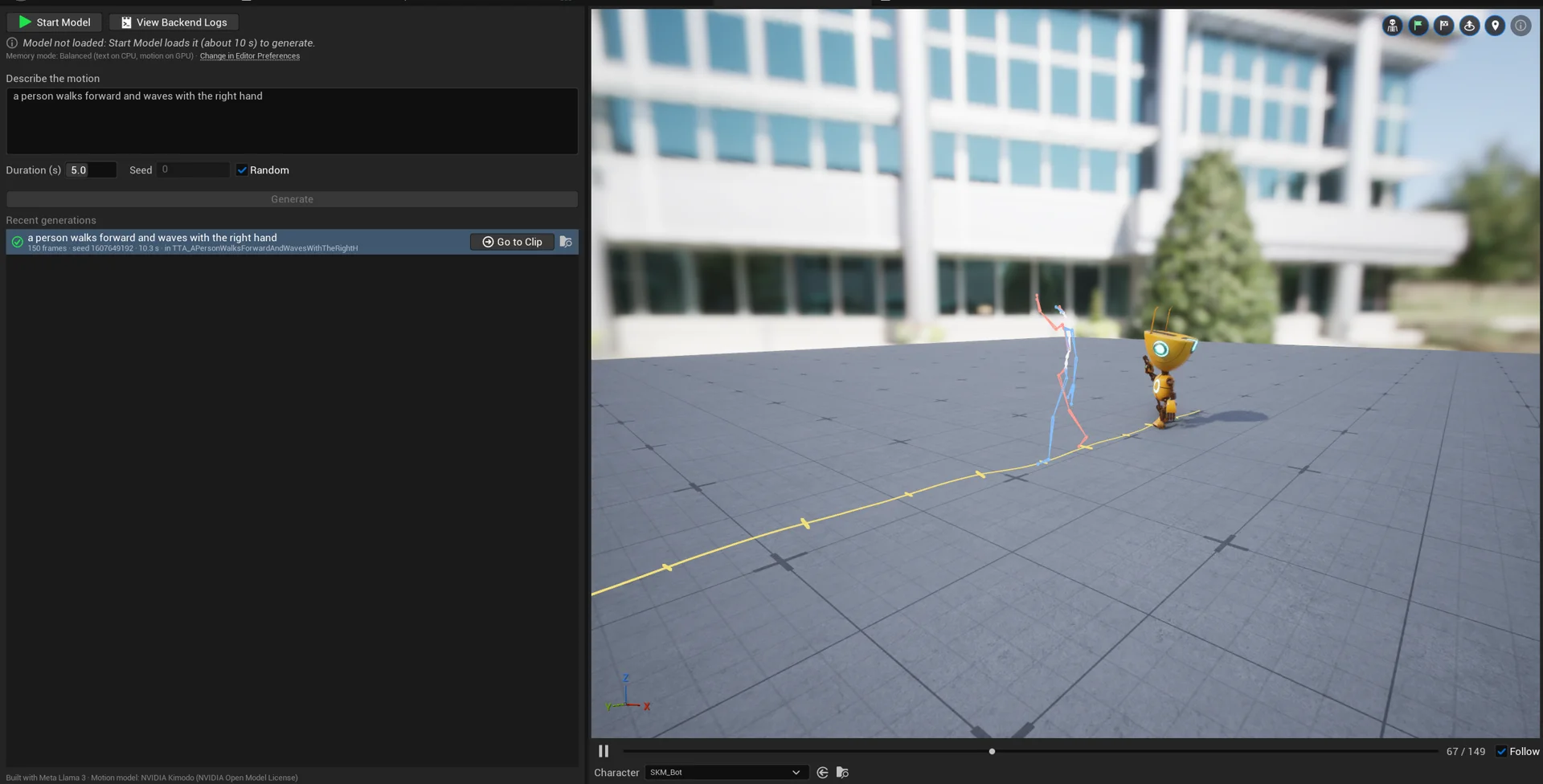
Tools > Text To Anim opens a standalone panel for quick experiments.
Generate
- Under Describe the motion, write the prompt in English, e.g. "a person walks forward and waves with the right hand".
- Choose the duration (up to 10 s) and press Generate (
Ctrl+Enter). A clip takes a few seconds. - Keep Random ticked for a new seed every time, or untick it to repeat a result exactly.
History and preview
- Recent generations keeps every generation of the project; click one to preview it in the viewport. A generation already saved in an asset shows Go to Clip / Go to Loop to open it.
- Below the viewport, Character picks the skeletal mesh used for the preview (default: the project's UE5 Manny, if present). The preview is retargeted live.
- The round buttons at the top right of the viewport toggle the bones, the start/finish flags and the debug information; Follow keeps the camera on the character.
Turn a generation into an asset
Save as Clip and Save as Loop turn the selected generation into an asset that you can refine and bake:
Model controls
Start Model / Stop Model load and unload the model (about 10 s to load); View Backend Logs shows what the model process writes (see Troubleshooting).
Writing good prompts
Describe one action with its manner and direction:
- "a person jogs in a circle"
- "a tired person sits down on a chair"
- "a person dances happily with arms raised"
- "a person walks forward, then turns left"
For a sequence of different actions, use a Clip with one segment per action instead of one long
prompt: each segment gets its own takes and the model generates the transitions.